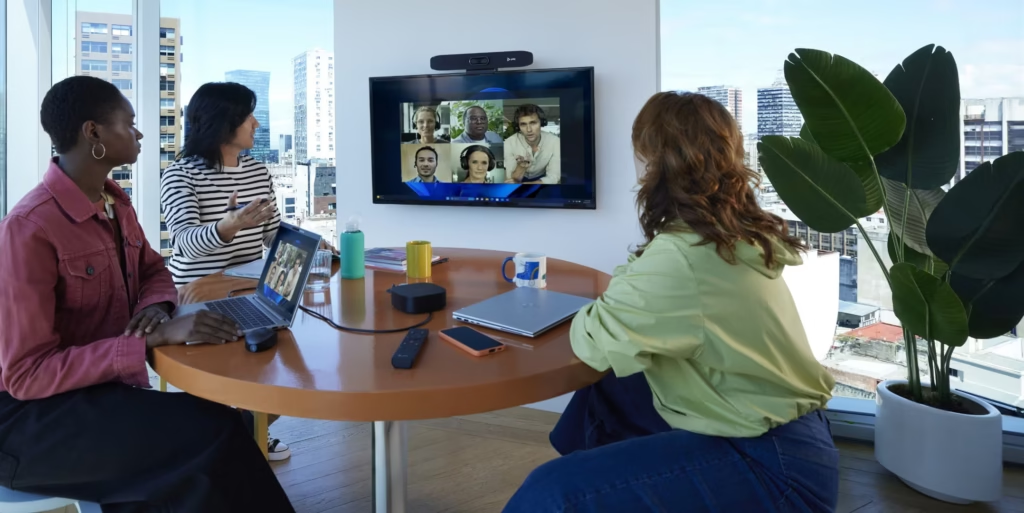

Audio visual communication is at the centre of how organisations share ideas, train teams and ultimately, stay connected. In this guide, we’ll take a look at what audio visual communication is, why it matters and how you can improve it with the right AV solutions and habits.
What is Audio Visual Communication?
Audio visual communication is the use of sound and visual components together to share information, for example:
What is Audio Visual Communication?
Audio visual communication is the use of sound and visual components together to share information, for example:
- A video conferencing system in your boardroom
- A training session with slides, video and clear sound
- Digital signage in your reception or retail space
- Live events with microphones, screens and lighting
By combining audio with visual communication, you engage more of the audience’s senses, making messages clearer and easier to remember than just using text or audio alone, helping people understand complex information quickly and stay focused for longer.
Here are a few examples of common audio visual communication scenarios:
- Meetings streamed to remote teams
- Interactive classroom lessons or presentations using screens and sound systems
- Digital signage displaying schedules, safety or promotional messages
- Large-scale product launches where content is shown on large displays with a professional sound system
The importance of audio visual communication
In modern workplaces, education settings and at events, audio visual communication is typically the main way people experience your message, and is important for several reasons:
Better understanding and retention
When people can see and hear information at the same time, they’re more likely to understand it and remember it afterwards.
Stronger audience engagement
When combined, audio and visuals can hold attention, highlight key points and guide people through a story or process better.
Clearer communication of tone and intent
Voice, facial expression, visuals and layout all work together to show emotion, give a sense of urgency and emphasis in a way that plain text can’t.
Improved collaboration
Video conferencing systems, displays and quality sound systems make it easier for in-room and remote participants to contribute and stay on track.
In day-to-day terms, the advantages of audio visual communication show up in:
- Business meetings where everyone can see the content and hear everyone involved
- Training sessions where staff can watch engaging demonstrations instead of reading long documents
- Events where digital signage and screens guide people from place to place
Tools like digital signage and modern video conferencing solutions are now standard tools for effective and professional communication.
Advantages and disadvantages of audio visual communication
Like any technology, audio visual communication has strengths and weaknesses – so understanding both can help you make better decisions.
Advantages of audio visual communication
Boosts engagement and understanding
Audio and visual elements can help information feel more relevant and be easier to follow.
Encourages participation and collaboration
When people can see shared content and hear each other clearly, they’re more likely to speak up and contribute.
Supports hybrid and remote work
Good AV technology connects teams and clients across locations, so that hybrid meetings and events feel more inclusive.
Strengthens your brand
Professional screens, sound systems and digital signage can also help your business appear modern and organised.
Disadvantages of audio visual communication
The disadvantages of audio visual communication are usually linked to poor planning and setup:
- It can require investment in AV equipment, ongoing maintenance and occasional upgrades
- Poorly positioned screens, echoey rooms or low-quality microphones can make communication harder, rather than easier
- Technical issues, such as unstable connections or incorrect settings, can interrupt meetings or events
- Some audiences might prefer simpler forms of communication, such as a short face-to-face chat or a one-page summary document
If managed well, these disadvantages can be reduced with good design, the right equipment and reliable technical support.
How to improve your audio visual communication
Improving audio visual communication is often about making small, practical changes rather than starting from scratch. Here are a few ways to improve your set-up:
- Audit your current AV set-up
Look at your key spaces and ask:
- Can everyone see the display clearly?
- Is the sound clear across the whole room, without echo or dead spots?
- Are cameras positioned at eye level for natural, inclusive meetings?
These simple checks help you spot issues with lighting, screen positioning and sound quality so you can make the necessary improvements.
- Invest in quality AV equipment
High-quality, reliable microphones, speakers, amplifiers and visual displays make a huge difference, helping you avoid drop-outs and distractions.
- Use clear visual hierarchy
Whether you’re designing slides, dashboards or digital signage solutions, keep key messages large and simple. Use headings, short bullet points and strong contrast so people can grasp the main point at a glance.
- Train your team
Provide short training sessions on how to use your AV equipment, join calls properly, share content and manage audio and visuals. This builds team confidence and minimises stress and wasted time at the start of meetings.
- Encourage feedback
Ask your teams, visitors or students what they think works and what doesn’t. Are there rooms where it’s harder to hear what’s going on? Are remote participants struggling to see content? Use this feedback to streamline your setup.
- Optimise for accessibility
Add captions or subtitles where you can, use clear fonts and high contrast, and avoid relying on colour alone to explain information. This makes your audio visual communication more inclusive and easier for everyone to engage with.
Tips for choosing the right AV solutions
Choosing the right AV solutions is about matching AV technology to your real-world spaces and needs.
You should consider factors such as:
- Room size and layout – larger rooms need bigger displays, stronger speakers and sometimes distributed sound and visual components. Smaller rooms may only need a single display and a compact sound system.
- Audience needs – think about who uses the space. Different applications of audio visual technology need different setups.
- Existing infrastructure and budget – using a phased approach, start with priority rooms or key spaces like boardrooms and reception areas, then scale over time.
- Ease of use and support – systems should be simple to operate and come with reliable support, so your team make the most of the technology.
- Scalability – look for AV solutions that can grow with your business, from a single meeting room to multiple sites or hybrid event spaces.
If you’re not sure where to start, Viewpoint AV can review your spaces and recommend audio visual solutions that fit your requirements.
Final thoughts
Strong audio visual communication helps you share messages clearly, improve collaboration and keep your audiences engaged – whether they’re in a meeting room, on a call or walking through your building.
By understanding the advantages and disadvantages, reviewing your current setup and choosing the right AV technology, you can turn everyday meetings, training and events into connected experiences.
If you’re looking to review your current AV setup or explore new options, speak to Viewpoint AV’s expert team and we’ll design and deliver a solution that supports the way you work, both now and in the future.